
PowerSouth 2026: AI & the Future of Electric Utility Service
Listen to the
AI KEYNOTE SONG
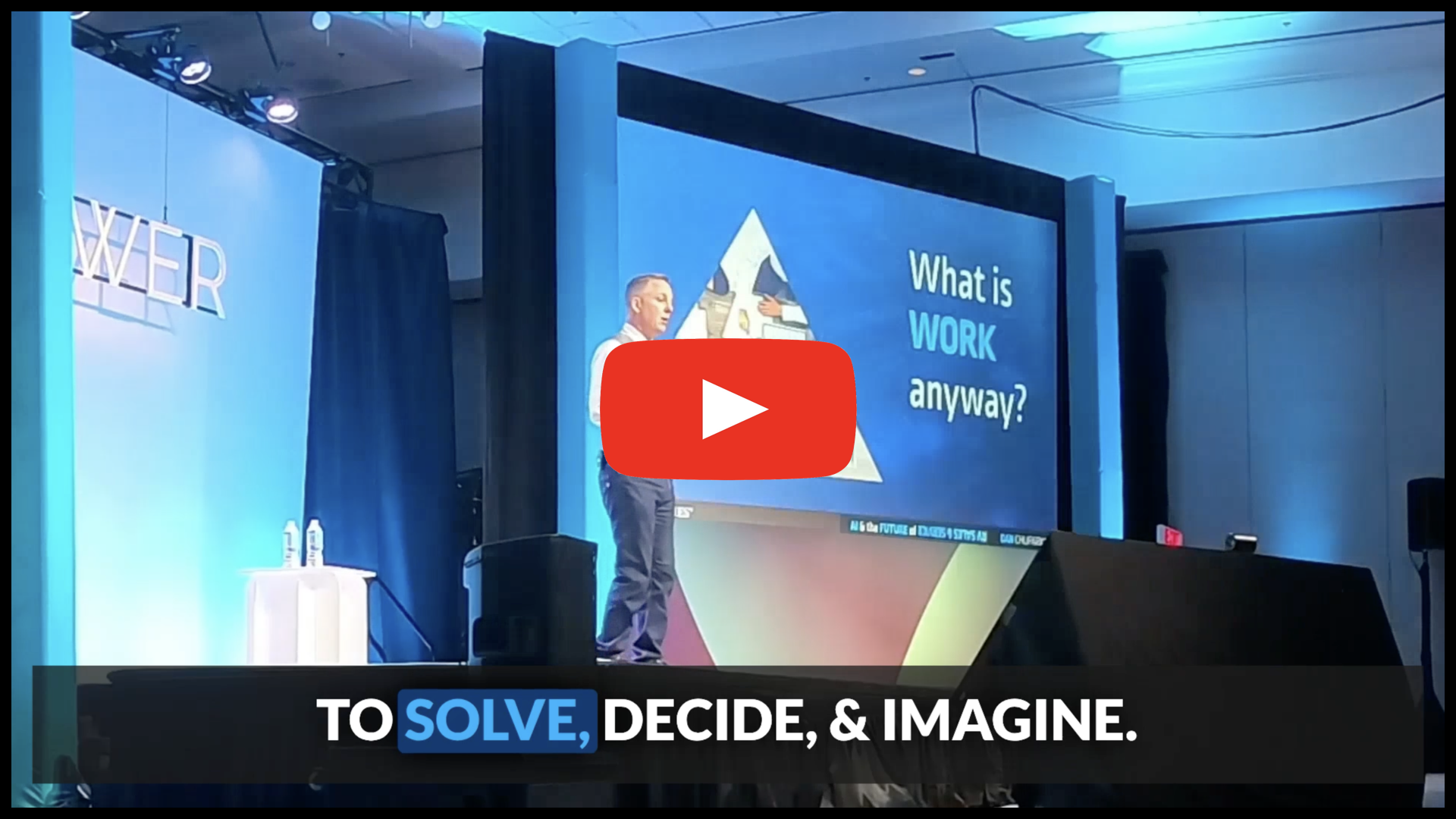
The easiest way to review or share the key points of my AI Keynote is with this song: the full keynote, matched with slides, in 4m32s!
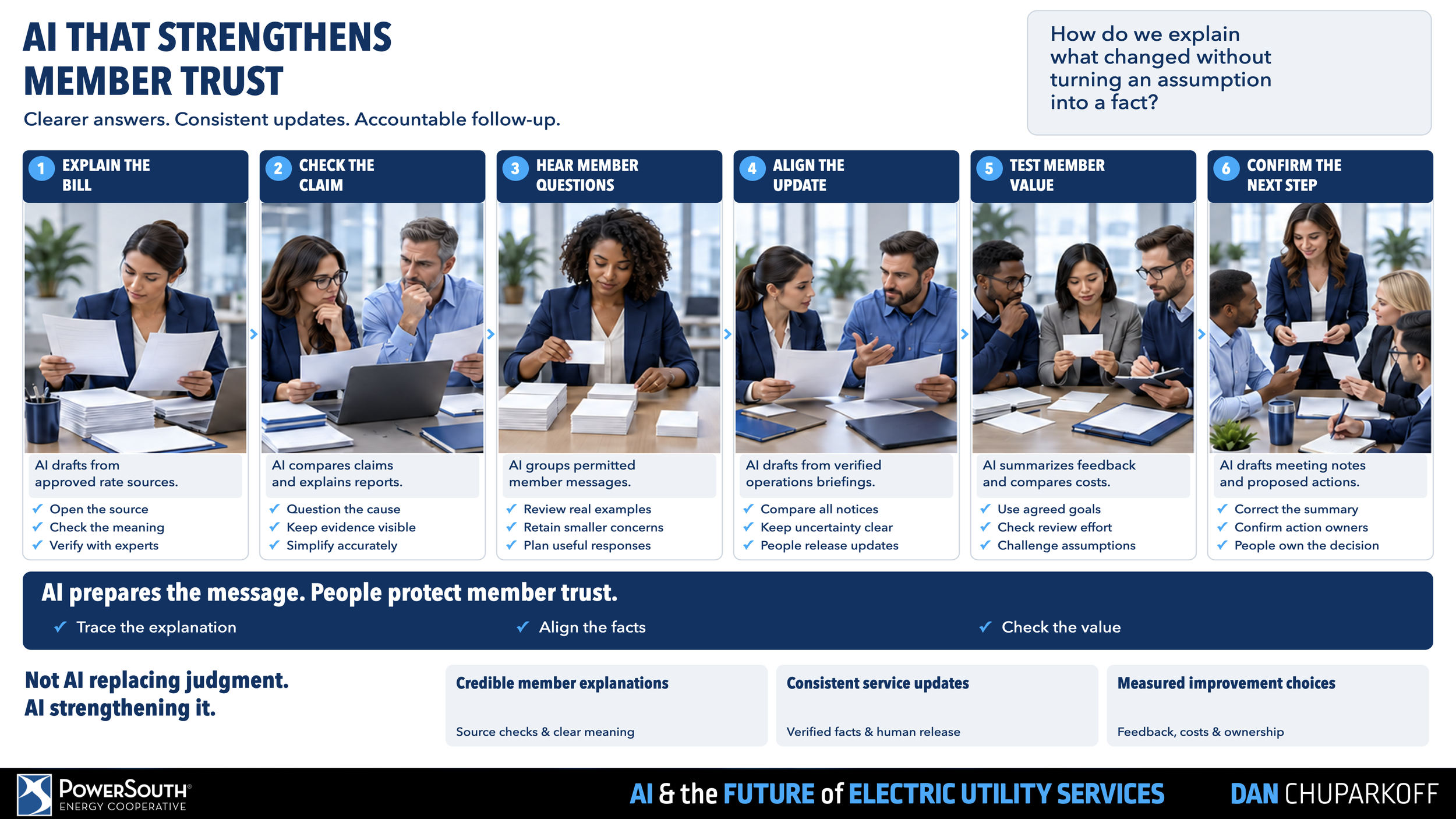
A day in the life in YOUR AI FUTURE

PDF SUMMARY of key slides
This “Slide Cheatsheet” was customized for your specific talk. It’s designed to help audience-members like you, by wrapping my AI & the Future of Everything keynote into an easy-to-skim, easy-to-share, or easy-to-print resource for future reference.
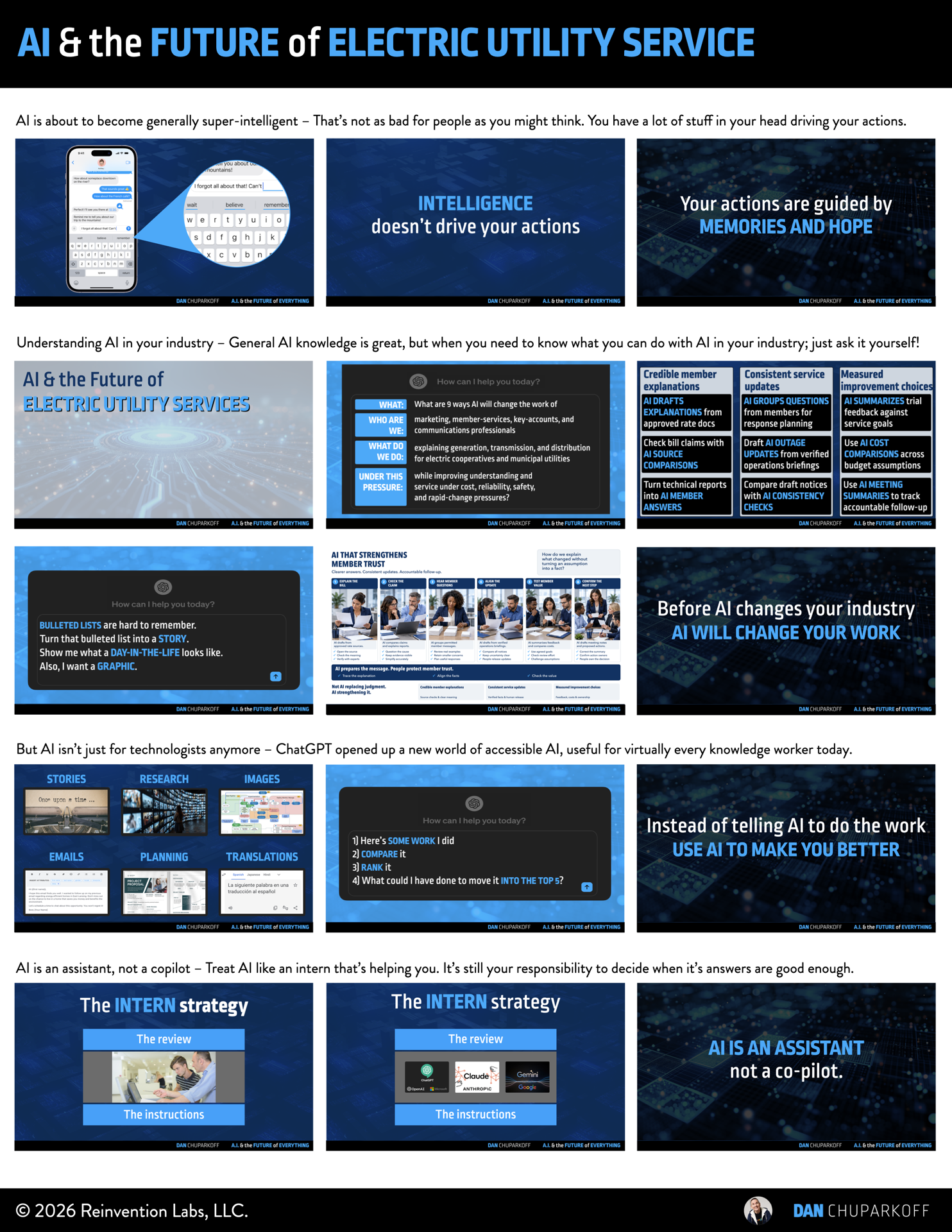
Download the 3 page
high-resolution PDF here:
Hope you find it helpful!
AI NOTES from Dan’s AI Keynote
*These notes were created using ChatGPT 5.6 pro.
Transcription errors or mistakes have not been fixed
in order to demonstrate the current state of AI notes.
One-Sentence Takeaway
Use AI to improve everyday communication, process, and investigation so you have more time to solve problems, make decisions, and imagine better electric utility service.
Summary
AI can help utility professionals handle demanding work while keeping human judgment in charge. Dan's first encounter with AutoCAD made that distinction clear: copy and paste changed how architects drew, while architects still designed the buildings. The opportunity with AI is to recognize which parts of your work an assistant can improve and learn to use that help.
Useful assistance still needs supervision. The “Once upon a time” exercise showed how a likely answer can sound certain without being the answer you need. The glue-in-pizza example showed how poor source material can produce poor advice. Your experience, goals, and understanding of members supply context that AI does not automatically have. Give instructions, review the result, improve the instructions, and keep responsibility for the outcome.
For marketing, member-services, key-accounts, and communications professionals, the keynote identified three practical opportunities: credible member explanations, consistent service updates, and measured improvement choices. You can also begin with your own work: ask AI to help outline a document, find gaps in a draft, or compare a recent piece of work with your strongest examples and explain how to improve it.
The larger goal is to create room for work that gets crowded out. Better meeting notes, more memorable ways to share information, and translation can reduce communication friction. Use that capacity to address problems earlier, make better decisions for your team and members, and imagine the next improvement in electric utility service.
Action Items
[ ] Ask an AI assistant how your work could change. Describe your role, the service you provide, and what makes it difficult; then ask about useful applications, risks, and ways to begin.
[ ] Choose one member explanation or service update to improve with AI. Supply approved source material, review the draft against those sources, and decide what needs to change before anyone uses it.
[ ] Try the performance-coach approach on one recent piece of work. Compare it with your strongest previous examples, ask what you did differently, and apply one useful suggestion yourself.
[ ] Use an approved AI note-taking tool for an appropriate conversation, with the participants' permission. Review its notes and follow-up items, and use them to fill gaps in your own record.
[ ] Identify one recurring communication, process, or investigation task that consumes time. Try AI assistance on that task and use the time gained for a specific unresolved problem or important decision.
Key Ideas
Assistance changes the work
AutoCAD's copy-and-paste capability helped architects perform part of their work differently. Look for the equivalent opportunity in your own workflow: a task that becomes easier while you continue to direct the work and protect its quality.
Confidence needs review
Fluent output is a suggestion to examine. Check whether it fits the situation, reflects the right sources, and serves the people who depend on your judgment. You already do this when you accept or ignore a phone's autocomplete suggestions.
Your context matters
Past emergencies, lessons from colleagues, unsuccessful projects, and hopes for your team influence your decisions. Bring that context to the work. AI assistance does not transfer responsibility for the result.
Manage an intern
Give clear instructions, review the work, provide better direction, and try again. Learn where the assistant helps and where you need to do the work yourself.
Build your capability
AI can help you learn from your own best work. Ask it to compare examples and explain specific differences, then decide which changes will improve the next draft, conversation, or presentation.
Solve, decide & imagine
The keynote's work pyramid begins with communication, process, and investigation. Helping with those tasks can create capacity for problem solving, decision-making, and imagining a better future. Keep those higher purposes visible when choosing what to improve.
PowerSouth member-service opportunities
The keynote applied AI to marketing, member-services, key-accounts, and communications professionals who explain generation, transmission, and distribution for electric cooperatives and municipal utilities. The three groups below preserve the nine opportunities shown during the talk. They support clearer understanding and better service under cost, reliability, safety, and rapid-change pressures; people remain responsible for accuracy and decisions.
Credible member explanations
AI DRAFTS EXPLANATIONS from approved rate documents
Check bill claims with AI SOURCE COMPARISONS
Turn technical reports into AI MEMBER ANSWERS
Consistent service updates
AI GROUPS QUESTIONS from member messages for response planning
Draft AI OUTAGE UPDATES from verified operations briefings
Compare draft notices with AI CONSISTENCY CHECKS
Measured improvement choices
AI SUMMARIZES trial feedback against service goals
Use AI COST COMPARISONS across pilot budget assumptions
Use AI MEETING SUMMARIES to track accountable follow-up
Talk Flow
1. Recognize the next copy-and-paste moment
The opening AI video
AI-generated material is changing quickly, creating new ways to support everyday work.
Look at your own tasks to see where assistance can improve the result.
The AutoCAD parking-lot story
A repetitive drawing task became dramatically easier when Dan discovered copy and paste.
Technology can change a task while the professional continues to direct the larger job.
Assistance across generations of technology
PCs, spreadsheets, the internet, mobile tools, and cloud collaboration each changed how people use information.
Approach AI as another tool to learn through practical use.
Opening the AI piñata
Find what is useful for your work, what creates value, and what risks need attention.
2. Understand the assistant & stay in charge
“Once upon a time”
Predicting a familiar next word is different from knowing the right answer for a particular situation.
A confident response still needs your judgment.
Glue in the pizza
Sarcasm, bad advice, and other flawed source material can enter AI's answers.
Examine recommendations before putting them into practice.
Autocomplete as a familiar example
Accept useful suggestions and reject ones that do not match your intent.
Member-facing chatbots also need people reviewing their conversations and ready to intervene.
Memories & hope
Experience and desired outcomes shape decisions alongside information.
Keep applying what you know about your team, members, and responsibilities.
The intern review loop
Give instructions, inspect the result, and clarify what you need.
Learn the assistant's limits while keeping responsibility for its work.
3. Apply AI to utility service & your own development
The industry question
Describe who you are, what you do, and what makes that hard.
Ask how AI could help, what risks to consider, and how to get started.
Three groups of utility opportunities
Improve member explanations, keep service updates consistent, and compare improvement choices.
Preserve accuracy, safety, reliability, and cost discipline as you explore those applications.
A day-in-the-life view
Ask AI to turn a list of possibilities into a story or picture of a working day.
Use that view to make potential changes easier to understand and discuss.
Help with today's work
Ask for an outline or feedback on a draft before waiting for a larger IT project.
Add your own experience, intent, and voice to the result.
The performance-coach example
Dan found more useful help by comparing his own draft with his strongest work.
Ask what made earlier examples effective and practice those improvements yourself.
4. Create room to solve, decide & imagine
Jobs & work
A job contains many different tasks; assistance with some tasks creates capacity for others.
Look at the work that does not receive enough attention today.
The six kinds of work
Communication, process, and investigation support problem solving, decision-making, and imagining.
Begin by finding help with the lower layers of the pyramid.
The human contribution
New problems and consequential decisions require your context and judgment.
Treat AI's output as recommendations while you choose the direction.
Communication as an opportunity
Reading, writing, talking, and listening take substantial time and sustain member trust.
Improving those activities can create room for work that otherwise gets deferred.
5. Improve how people share information
Meeting notes
AI notes can supplement your own notes and make conversations easier to revisit.
Use captured conversations to support preparation and follow-up while respecting privacy needs.
Turning notes into a song
A memorable format can help an important idea reach people repeatedly.
The song reinforced the keynote's central message: people are needed to solve, decide, and imagine.
Translation & collaboration
The translation video and earbud examples illustrated how people can collaborate across language differences.
Consider both communication value and privacy when exploring tools for members or teams.
Managing a world of more
Expectations, information, and systems can grow while your available time stays fixed.
Use AI assistance to create more room for better service, earlier problem solving, and thoughtful decisions.
CLOSING MESSAGE: Expand collaboration & turn the pyramid over
Managing a world of more
Expectations, information, and systems can grow while your available time stays fixed.
Use AI assistance to create more room for better service, earlier problem solving, and thoughtful decisions.