
defi Summit 2026: AI & the Future of Consumer Lending Services
Listen to the
AI KEYNOTE SONG
The easiest way to review or share the key points of my AI Keynote is with this song: the full keynote, matched with slides, in 4m32s!
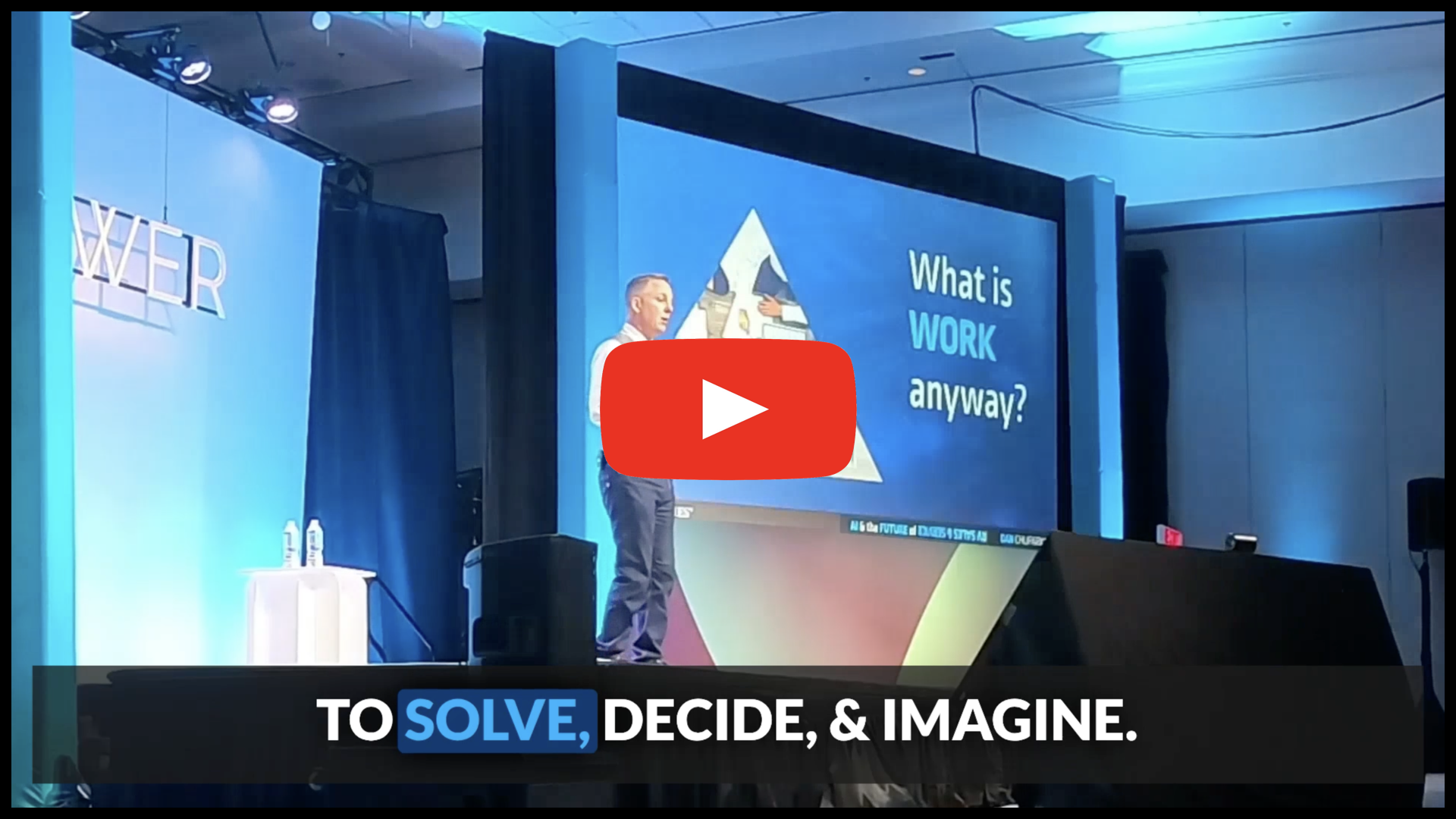
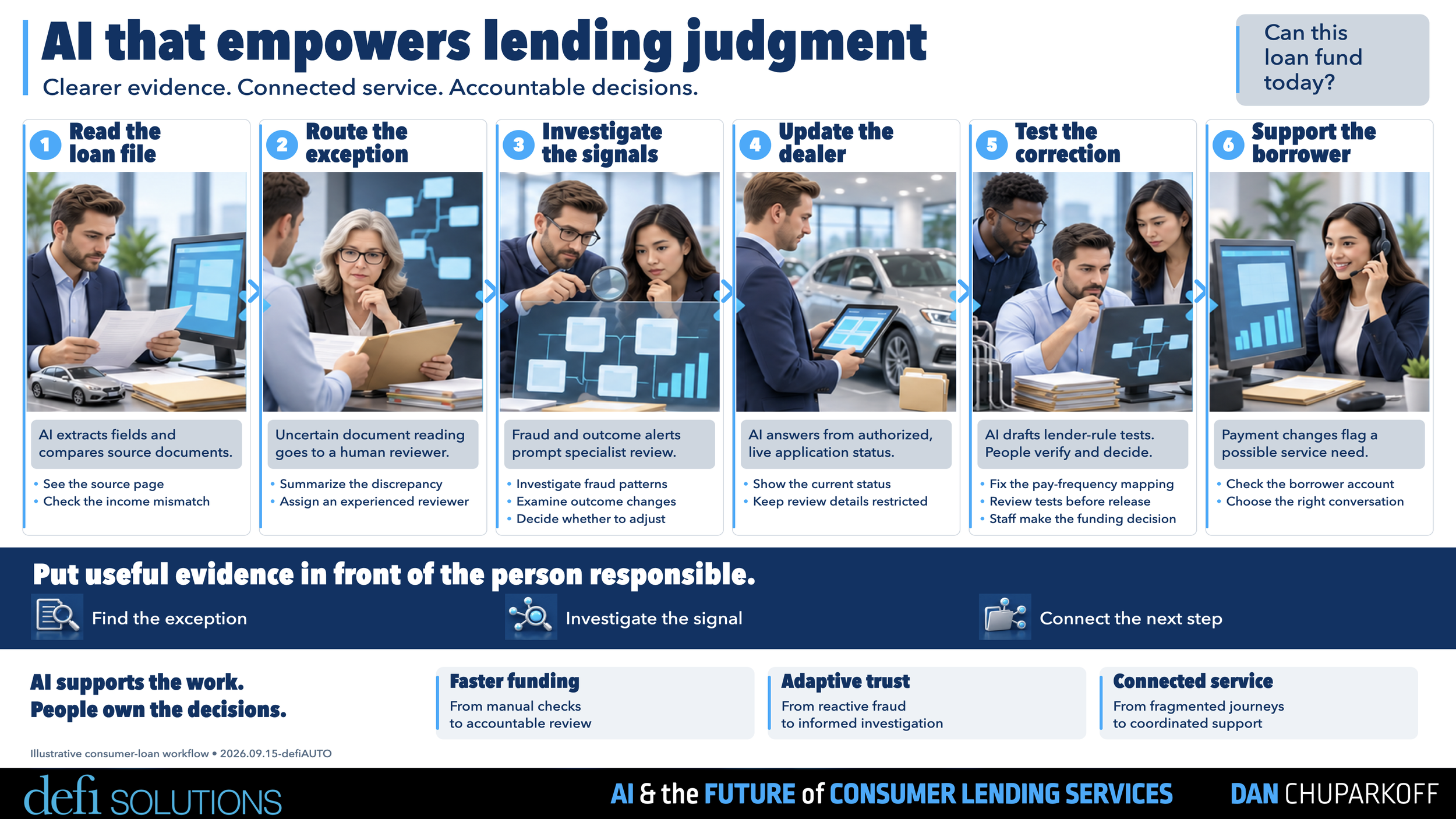
A day in the life in YOUR AI FUTURE

PDF SUMMARY of key slides
This “Slide Cheatsheet” was customized for your specific talk. It’s designed to help audience-members like you, by wrapping my AI & the Future of Everything keynote into an easy-to-skim, easy-to-share, or easy-to-print resource for future reference.
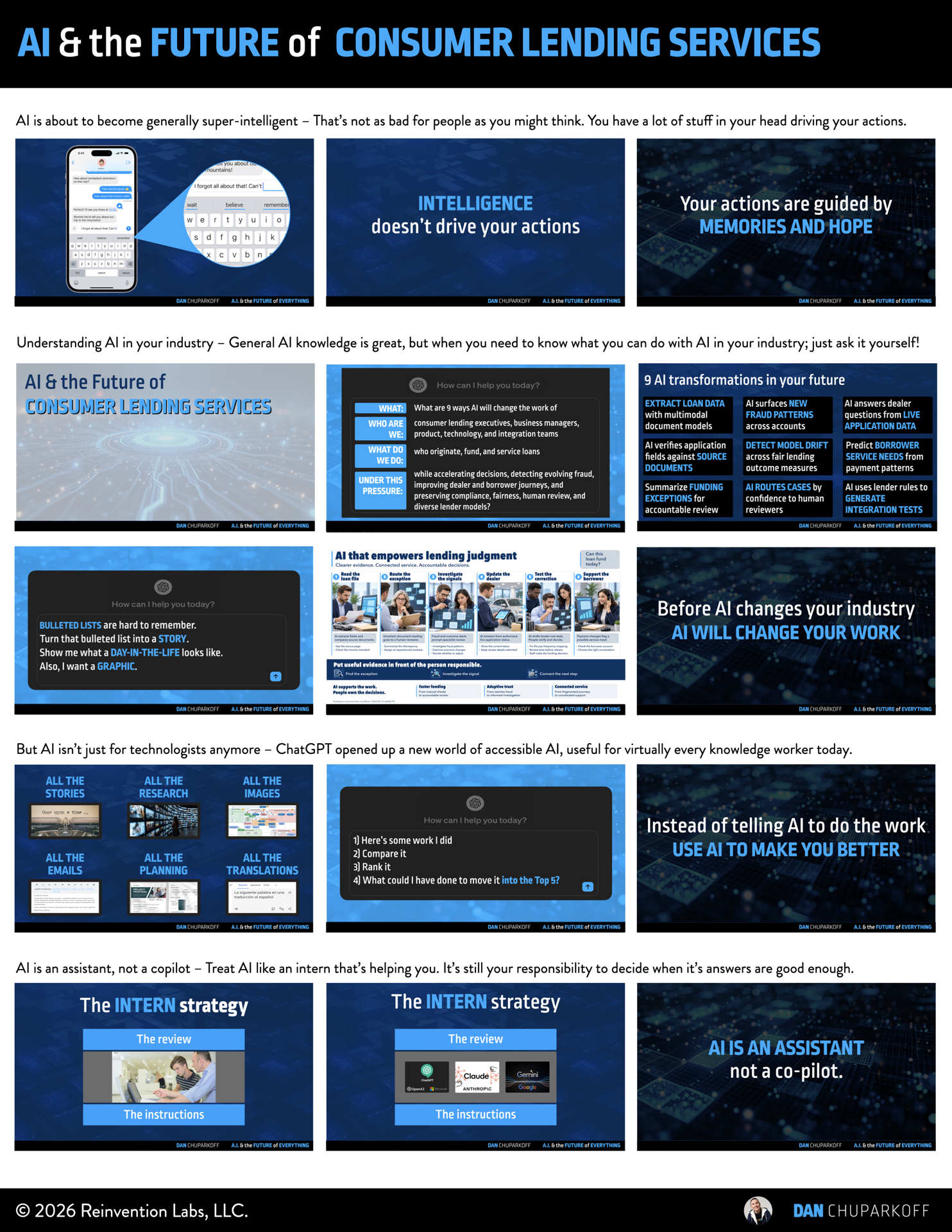
Download the 3 page
high-resolution PDF here:
Hope you find it helpful!
AI NOTES from Dan’s AI Keynote
*These notes were created using ChatGPT 5.6 pro.
Transcription errors or mistakes have not been fixed
in order to demonstrate the current state of AI notes.
One-Sentence Takeaway
Use AI to make communication, process work, and investigation more efficient so you can spend more time solving problems, making decisions, and imagining a better future for consumer lending.
Summary
AI is another copy-and-paste moment: a change in how work gets done that becomes hard to imagine working without. Dan's first encounter with AutoCAD turned days of drawing parking-lot lines into moments of computer-assisted work. The architect still mattered. The opportunity was to give that person more precision, speed, and capacity to create value. The same assistant-versus-automator distinction shapes how to approach AI.
You do not need to wait for perfect AI answers before learning to use it. The keynote's next-word exercise, pizza example, and autocomplete comparison explain why useful assistance can still produce suggestions you should reject. Ask how sure AI is, check its sources, and bring your own judgment to the result. Your expertise, memories, hopes, and knowledge of the situation remain essential to deciding what to do.
For consumer lending, the opportunity is to explore a connected workflow: reading loan files, routing exceptions, investigating trends, updating stakeholders, testing corrections, and using the resulting capacity to support borrowers. You can also start improving your own work immediately. Use AI to compare an actual work product with your previous work and show you how to improve. Make the lower layers of the work pyramid more efficient so you can spend more time solving, deciding, and imagining.
Action Items
[ ] Start the consumer-lending conversation with AI this week using the question below. Choose one possibility and explore the workflow, data, and guardrails it would need.
[ ] Give AI a work product you created, such as a plan, presentation, or email, and ask it to compare that work with your previous examples. If it is not among your best five, ask what the stronger examples do better and use that feedback to improve it.
[ ] Pick one communication, process, or investigation task for AI assistance. Decide which unresolved problem, decision, or future opportunity deserves the time you recover.
[ ] For your next substantive AI answer, ask how sure it is, open the source, and decide whether the suggestion meets the needs of the decision you are making.
[ ] Try a company-approved notetaker for a meeting or customer conversation. When recording a customer call, get the customer's okay, then use the record to improve your preparation or performance.
Key Ideas
AI is an assistant
The AutoCAD story is about expanding what an expert can accomplish. Start with the work you want to improve and the value you want to create for customers. AI assistance gives you more capacity to pursue both.
Keep your expertise & expand your range
Dan's B-minus-student analogy separates your core expertise from the many supporting tasks around it. Keep being excellent at the work you know deeply, and use AI to help with the research, writing, planning, and administration that get in the way.
Useful does not mean perfect
The “Once upon a” exercise makes prediction easy to understand. The next word becomes less obvious as the sentence continues, just as some work decisions have no single clear answer. Check the source, consider the consequences, and decide how much certainty the task needs.
Your context matters
Autocomplete can suggest a word, but you decide whether it belongs in the message. Your memories, ambitions, recent conversations, and understanding of other people influence what you say and do. Different people bring different judgment to the same problem.
Make AI your performance coach
Dan's breakthrough came after rejecting an AI-written LinkedIn post and writing his own. He then asked AI to compare that post with his earlier work and explain what his strongest examples did better. Adapt that method to work you already do:
Here is work I created. Compare it with my previous examples of the same kind of work and rank it. If it is not in my top five, show me the top five and explain what made them better.
This is an adaptation of the keynote's comparison prompt. The purpose is to improve your ability, not to stop looking at the work.
Make room for solving, deciding & imagining
The work pyramid contains six layers: communication, process management, investigation, problem solving, decision making, and imagination. The lower three can consume the entire week. Use AI to make them more efficient so the higher three receive more of your attention. Let AI organize options and make recommendations; you choose the direction you want to pursue.
Change how information travels
Meeting notes, songs, and translation can make information easier to capture, revisit, and share. Choose the format that helps the people who need the information. A song can reinforce an important message; translation can help colleagues and customers communicate in a language that is comfortable for them.
Opportunities for Consumer Lending
Start with the question from the keynote materials:
What are 9 ways AI will change the work of consumer lending executives, business managers, product, technology, and integration teams who originate, fund, and service loans while accelerating decisions, detecting evolving fraud, improving dealer and borrower journeys, and preserving compliance, fairness, human review, and diverse lender models?
The onstage day-in-the-life example connected six activities:
Read loan files. Begin with the information that enters the lending workflow.
Find & route exceptions. Identify what needs attention and send it to the appropriate people.
Investigate signals & trends. Understand what is changing over time.
Update stakeholders. Keep the people across the lending ecosystem informed.
Correct & test. Find mistakes, make corrections, and test them before they affect customers.
Create more borrower value. Use the recovered time and resources to improve support and service.
Treat the example as a conversation starter about the future you want to build. You are the experts in the room. Choose an opportunity, explore what it would require, and decide how it should work in your own lending environment. The purpose of efficiency is to make room for valuable work you cannot get to today.
Talk Flow
1. Recognize your next copy-and-paste moment
A new expectation for work
The AI-generated opening video introduced a shift in what people expect good work to look like.
Look at the work you do regularly and consider how AI assistance changes the way you do it.
The AutoCAD discovery
Copy and paste turned a repetitive drawing task into a dramatically faster process.
The saved disk made that change a concrete turning point in Dan's career.
Assistant versus automator
AutoCAD expanded the architect's ability to work; the architect still directed the result.
Look for ways AI can help you create more value with your expertise.
The technology staircase
PCs, spreadsheets, the internet, mobile, and other changes became ordinary parts of work.
AI is the next step toward assistance becoming part of your daily routine.
The AI pinata
Move beyond experimenting at random toward identifying useful capabilities.
Ask which possibilities create more value than they cost.
2. Understand imperfect assistance & keep your judgment
“Once upon a” & the B-minus student
The audience's next-word response illustrates prediction and consensus.
Use AI to broaden your ability across supporting tasks while keeping your core expertise central.
Confidence & consequences
Different decisions call for different levels of certainty.
Ask about confidence, check the source, and decide whether to use the answer.
Glue in your pizza
Do not wait for the disappearance of mistakes before learning to use AI.
The pizza example shows why popular source material can still contain a bad suggestion.
Autocomplete & human context
Accept a suggestion when it helps and continue your own work when it does not.
Knowing the people and situation is part of choosing the right response.
Memories & hopes
Past experience and the future you want influence your decisions.
Bring different people's experience and ambitions together to shape the future of consumer lending.
3. Explore the future of consumer lending
Ask a question about the actual work
Name the roles, services, outcomes, and constraints that matter in your industry.
Start the conversation with AI this week rather than waiting for someone else to define the future.
Turn a list into a workflow
The lending example connects loan files, exceptions, trends, updates, corrections, and borrower value.
A day-in-the-life story makes the relationships between those activities easier to see.
Choose the future you want
Explore the data, guardrails, and resources an opportunity would require.
Use your team's expertise to decide which possibilities deserve action.
4. Improve your work & reclaim your time
Begin before the next software release
Writing, research, graphics, inbox management, planning, and translation offer starting points for assistance.
Pick one recurring task and ask what AI could help you do better.
Build a performance-coach loop
Compare your latest work with earlier examples and ask what your best work did better.
Use the feedback to improve your own ability and keep inspecting the result.
Work & jobs are different
Taking some work off your plate creates room for other work you have not been able to reach.
The pyramid separates communication, process, and investigation from solving, deciding, and imagining.
Keep direction in human hands
AI can help organize choices, but choosing which one to pursue calls on your judgment and ambitions.
Develop your ability to solve problems, make decisions, and rally people around a future worth building.
5. Make communication more useful & create room for more
Notes & meeting assistance
Better preparation and records can make customer calls and team conversations more useful.
Use a notetaker your company approves.
Notes become a song
The song demonstration turned the keynote's message into another way to revisit it.
Consider different formats for a message your team needs to remember.
Collaboration across languages
The translation demonstrations showed people communicating beyond their own language.
Think about the colleagues and customers you could work with more easily.
Closing Message - Managing in the world of more
Demands grow while the hours in your week remain fixed. As demands grow, use AI assistance to protect time to solve problems, make better decisions, and imagine a better future for your people.